
Accepting a payment is often only the beginning of the customer journey.
Once someone purchases a service, starts a subscription, buys a product, or makes a donation through your WordPress website, the next question is: What happens to that customer data?
For businesses using HubSpot as their CRM, connecting WordPress payments with HubSpot can create a much more useful workflow. Instead of treating your website, payment processor, and CRM as separate systems, you can bring them together using Stripe as an important part of the connection.
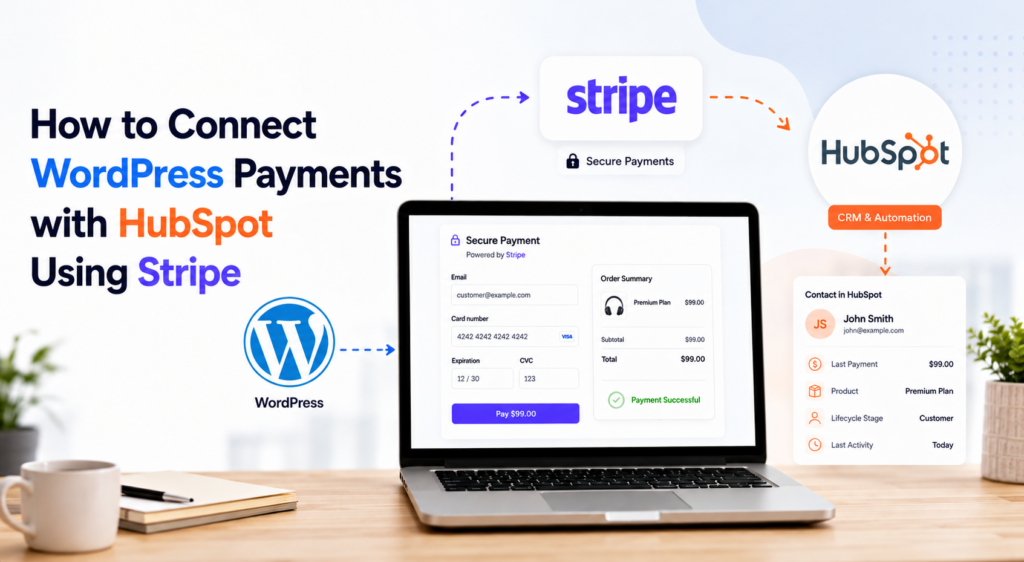
WordPress → Stripe → HubSpot
WordPress provides the website and checkout experience, Stripe handles the payment processing, and HubSpot can help organize customer data and support the sales, marketing, and customer relationship processes that happen after a payment.
In this article, we’ll explore how this setup works, what data can be connected, and when it makes sense to keep your checkout directly on WordPress.
Why Connect WordPress Payments with HubSpot?
A successful payment contains more business value than simply the amount that was paid.
Think about the information associated with a transaction: Who made the payment? What did they purchase? Is this a new or existing customer? Did they make a one-time payment or start a subscription? When did the transaction happen?
Without a connected system, this information can end up scattered across your WordPress website, Stripe account, email inbox, and CRM.
Connecting your payment infrastructure with HubSpot can help turn transactional information into useful customer context.
For example, a business might want to distinguish between someone who has simply submitted a contact form and someone who has actually completed a payment. A nonprofit organization might want to identify donors separately from newsletter subscribers. A subscription-based business might want its customer-facing teams to know whether a contact has an active subscription.
That’s where connecting payments and CRM data becomes useful.
Understanding the WordPress, Stripe and HubSpot Relationship
Before looking at the setup, it helps to understand the role of each platform.
WordPress: The Customer-Facing Website
WordPress is where your visitors interact with your business. It may contain your landing pages, service pages, product information, donation campaigns, membership pages, and payment forms.
For many organizations, keeping the checkout experience on WordPress has an important advantage: the customer stays within the website experience you’ve already created. Instead of building an entirely separate e-commerce environment, you can add payment functionality where it is actually needed.
Stripe: The Payment Infrastructure
Stripe handles the payment processing layer. Your WordPress website can send payment information through Stripe’s infrastructure while your website remains the customer-facing part of the experience.
Stripe can support much more than isolated transactions. Depending on your setup, it can also contain customer, product, invoice, subscription, and payment information. This becomes particularly interesting when HubSpot enters the picture.
HubSpot: The CRM and Customer Data Layer
HubSpot can serve as the system where your sales, marketing, service, and customer information comes together.
HubSpot supports connecting Stripe for payment processing as well as syncing Stripe data into HubSpot. Supported Stripe objects for data synchronization include customers, invoices, products, subscriptions, and payment transactions. Stripe customers can sync bidirectionally with HubSpot contacts, while several other objects can be synchronized from Stripe into HubSpot.
This means Stripe can potentially act as a bridge between a payment that begins on your website and the customer information your team uses inside HubSpot.
A Typical WordPress Payment Workflow
Consider a simple example. Imagine a consulting company running its website on WordPress.
A potential customer visits a landing page, chooses a consulting package, enters the required information, and pays through a Stripe-powered checkout.
Website Visitor → WordPress Checkout → Stripe → Customer/Payment Data → HubSpot
Each platform has a different responsibility. WordPress provides the customer experience. Stripe processes the transaction. HubSpot provides the CRM environment where customer and revenue-related information can become useful for future interactions.
Instead of thinking about a payment as the end of a conversion funnel, you can therefore think about it as the beginning of another workflow.
Connecting Your WordPress Website to HubSpot
HubSpot provides an official WordPress plugin that connects a WordPress website with a HubSpot account. The integration can automatically add HubSpot’s tracking code to WordPress pages and provides access to various HubSpot tools from WordPress.
That takes care of one side of the architecture: WordPress ↔ HubSpot.
The payment side can then be handled through Stripe. Your exact configuration will depend on whether you want HubSpot itself to provide the checkout or whether you want the payment experience to remain primarily inside WordPress. That distinction is important.
Connecting Stripe with HubSpot
HubSpot offers more than one way of working with Stripe.
One option is to connect Stripe directly as the payment processor for HubSpot’s own revenue tools. HubSpot can then use Stripe to process one-time and recurring payments through tools such as payment links, invoices, quotes, and subscriptions.
But there’s another interesting option for businesses that already process transactions elsewhere.
HubSpot can also sync Stripe data without requiring HubSpot to become the place where the original payment is initiated. Stripe data synchronization can include customers, invoices, products, subscriptions, payment transactions, and additional Stripe data. Customer synchronization can be bidirectional, while several other synchronization paths are primarily Stripe-to-HubSpot.
This distinction is particularly useful if WordPress is intended to remain your primary checkout environment.
Keeping the Checkout on WordPress
Not every business needs its payment process to originate inside its CRM. Sometimes WordPress is already the center of the customer experience.
You might have carefully designed landing pages, service pages, donation campaigns, or product pages and simply want visitors to complete their payments without leaving that experience.
This is where a WordPress Stripe payment plugin can become the payment layer of the architecture.
For example, Easy Stripe Payments & Donations can be used to create Stripe-powered payment experiences directly within WordPress.
- One-time payments
- Recurring payments and subscriptions
- Products and services
- Donation forms
- Custom fields
- Multi-step checkout experiences
The important architectural idea isn’t the plugin itself. It’s where you want the checkout to live.
WordPress + Easy Stripe Payments & Donations → Stripe → HubSpot
The visitor interacts with the WordPress website, the payment is processed through Stripe, and relevant Stripe data can then become available to HubSpot according to the synchronization and configuration you have established.
Example: From WordPress Payment to CRM Contact
Suppose a visitor named Sarah discovers a professional service through your WordPress website. She selects the service and completes a Stripe payment.
At that point, several things have happened. Your WordPress website provided the checkout experience. Stripe processed the transaction. Stripe now has information associated with that payment.
If your Stripe and HubSpot environments are configured appropriately, relevant customer and payment information can then be synchronized with HubSpot. HubSpot’s Stripe data sync supports mapping Stripe customers to HubSpot contacts.
Now Sarah is no longer just an anonymous website visitor. Your CRM can potentially provide context that helps your team understand that a commercial relationship has started. That’s where the real value of connecting payments and CRM systems begins.
What Can You Do with Payment Data in HubSpot?
Once payment-related information is available within your CRM environment, it can support much more than bookkeeping.
Consider a service business. After a customer purchases a consultation, the company may want to start an onboarding process. A subscription business may want to distinguish subscribers from prospects. A nonprofit may want to organize donors differently from general newsletter contacts.
A company could also use payment and subscription information to improve reporting and provide sales or customer success teams with more context.
This creates opportunities for workflows such as:
Payment completed → Customer identified → CRM updated → Appropriate follow-up begins
The exact automation will depend on your HubSpot subscription, configuration, available objects, and the data you’re synchronizing.
Example: Connecting Online Donations with HubSpot
The same architecture can be useful outside traditional e-commerce. Imagine a nonprofit organization running a WordPress website.
It creates a donation campaign directly on the website and allows supporters to choose a donation amount. A donor enters their information and makes a Stripe payment.
Donation Page → WordPress → Stripe → HubSpot
Now the organization has two different types of information. Stripe contains the financial transaction.
HubSpot can contain the broader relationship with the supporter.
That distinction can be valuable. Someone who donated shouldn’t necessarily be treated in exactly the same way as someone who only downloaded a PDF or subscribed to a newsletter. Connecting those systems can help organizations build a more complete view of their supporters.
Example: Recurring Payments and Subscriptions
Subscriptions make CRM integration even more interesting because the customer relationship continues after the first transaction.
A one-time payment represents a completed transaction. A subscription represents an ongoing relationship.
HubSpot supports synchronizing Stripe subscription information into HubSpot custom objects and also provides options for businesses that want existing Stripe subscriptions to be managed more directly through HubSpot.
That can help businesses bring subscription and customer information closer together. Customer-facing teams may benefit from knowing whether a contact is associated with recurring billing rather than treating every contact simply as another lead.
Should You Use HubSpot Checkout or WordPress Checkout?
This is probably the most important architectural question. There isn’t one correct answer for every business.
HubSpot itself can create payment links and use Stripe as the payment processor. Those payment links can support use cases including professional services, recurring fees, project packages, and one-time or recurring donations. They can also be embedded or shared through websites and other channels.
For organizations whose sales and revenue processes already revolve heavily around HubSpot, this can be a logical solution.
On the other hand, a WordPress-based checkout may make more sense when the website itself is at the center of the customer journey.
For example, you may want to create highly customized landing pages, collect specific information during checkout, build a multi-step payment process, or integrate the payment form closely with other WordPress functionality.
In that situation, instead of bringing your website visitors into a HubSpot-centered checkout process, you keep the checkout on WordPress and allow Stripe and HubSpot to handle their respective roles behind it.
One Important Distinction: Processing vs. Synchronization
It’s important not to confuse processing payments through HubSpot with syncing Stripe data into HubSpot. They are not the same thing.
HubSpot allows Stripe to be connected as its payment processing option. In that configuration, HubSpot’s revenue tools provide the payment experience while Stripe processes the transaction.
HubSpot also supports syncing Stripe data into HubSpot. Payment processing does not automatically have to be configured simply because you want to synchronize Stripe information.
This difference gives businesses more flexibility when designing their payment architecture.
Don’t Forget Data Mapping
Connecting two platforms doesn’t automatically mean the resulting CRM data will be useful. Before implementing the integration, decide which information actually matters.
WordPress checkout field → Stripe data → HubSpot property
Think about information such as customer name, email address, product or service, payment type, customer type, subscription information, or other relevant business data.
The goal shouldn’t be to send every possible piece of information into your CRM. The goal should be to create useful customer context.
Good data architecture is often less about collecting more data and more about collecting the right data in the right place.
A Connected Payment Stack
The bigger lesson goes beyond WordPress or HubSpot. Modern online payment systems don’t need to exist as isolated tools.
WordPress → Easy Stripe Payments & Donations → Stripe → HubSpot
WordPress provides the website and customer experience. Easy Stripe Payments & Donations provides the WordPress payment and checkout layer. Stripe provides payment processing and transaction infrastructure. HubSpot provides CRM, customer data, marketing, sales, service, and automation.
Each platform does what it is designed to do. The advantage comes from connecting them intelligently.
When Does This Setup Make Sense?
A WordPress → Stripe → HubSpot architecture can be particularly interesting when your organization already uses WordPress as its primary website, wants to keep control of the checkout experience, processes payments through Stripe, and uses HubSpot for customer relationship management.
It can work for consultants accepting payments for services, digital businesses selling products, companies running recurring subscriptions, nonprofits collecting donations, agencies building payment experiences for clients, or businesses that simply don’t need a traditional full-scale e-commerce store but still want professional online payments.
Final Thoughts
Connecting WordPress payments with HubSpot isn’t simply about connecting three pieces of software. It’s about connecting three stages of the customer journey.
WordPress handles the experience.
Stripe handles the payment.
HubSpot helps manage the relationship.
When those layers work together, a completed payment no longer has to be the end of the process. It can become the starting point for onboarding, customer communication, subscription management, reporting, segmentation, and future interactions.
And if keeping the checkout experience directly on WordPress is important to your business, a solution such as Easy Stripe Payments & Donations can provide the WordPress payment layer while Stripe and HubSpot handle the payment and CRM sides of the workflow.
Let customers pay where they already are — and make the resulting payment data useful everywhere else.