
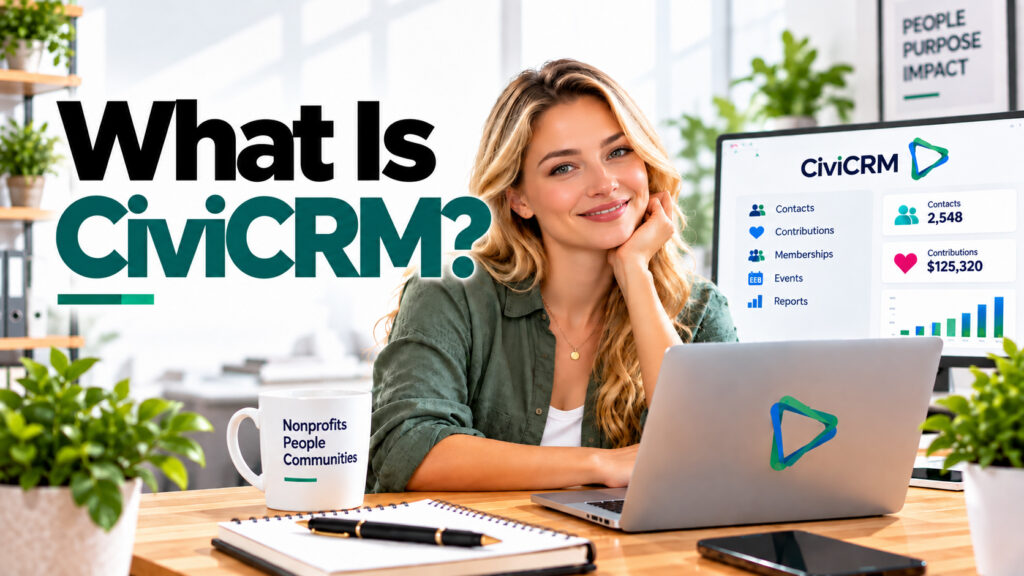
Nonprofit organizations manage much more than customers. They work with donors, members, volunteers, event participants, supporters, partners, and entire communities. Keeping all of these relationships organized can quickly become difficult when information is spread across spreadsheets, email platforms, donation systems, event tools, and separate databases.
This is where CiviCRM comes in.
CiviCRM is an open-source constituent relationship management platform designed specifically for nonprofits, associations, membership organizations, charities, advocacy groups, and other mission-driven organizations.
Instead of treating every relationship as a traditional sales opportunity, CiviCRM helps organizations manage the many different ways people interact with their mission — from making a donation and becoming a member to registering for an event, volunteering, or subscribing to communications.
It brings contacts, contributions, memberships, events, communications, activities, and organizational relationships together in one system.
What Is CiviCRM?
CiviCRM is an open-source CRM platform created for organizations that need to manage relationships with constituents rather than simply track sales leads and customers.
The term CRM traditionally stands for Customer Relationship Management. In the nonprofit sector, however, the people interacting with an organization are not necessarily customers. They may be donors, members, volunteers, activists, beneficiaries, event participants, partners, or supporters.
For this reason, CiviCRM is commonly described as a Constituent Relationship Management system.
This creates a more complete view of the relationship between an organization and each person or organization in its community.
Who Is CiviCRM Designed For?
CiviCRM is particularly relevant for organizations whose relationships cannot easily be represented by a conventional sales pipeline.
Nonprofits & Charities
Manage donors, contributions, fundraising activities, communications, campaigns, and supporter relationships.
Membership Organizations
Track memberships, membership periods, renewals, payments, member communications, and different membership types.
Associations
Maintain member and organizational relationships while managing events, communications, activities, and contributions.
Advocacy & Community Groups
Organize supporters, communication preferences, activities, campaigns, groups, and community engagement.
Foundations
Maintain structured contact information and track relationships, contributions, activities, and communication history.
Clubs & Networks
Manage members, events, renewals, contact groups, payments, and ongoing engagement within a single database.
How Is CiviCRM Different from a Traditional CRM?
Many commercial CRM systems were originally designed around sales. A typical CRM workflow may focus on leads, companies, deals, opportunities, customers, and sales revenue.
That model works well for many businesses, but nonprofit organizations often need to manage very different types of relationships.
Traditional Sales CRM
Typical focus:
- Leads
- Prospects
- Companies
- Deals
- Sales pipelines
- Customers
- Revenue
CiviCRM
Typical nonprofit focus:
- Donors
- Members
- Volunteers
- Supporters
- Contributions
- Events
- Activities
- Community relationships
This difference is important. A person can have several relationships with the same nonprofit at the same time.
Someone might be a donor, volunteer, member, newsletter subscriber, and event participant. CiviCRM allows these interactions to be connected to the same contact rather than treating each interaction as an isolated record.
How Does CiviCRM Work?
At the center of CiviCRM is the contact record. Contacts can represent individuals, organizations, or households. Additional information is then connected to these contacts.
Over time, this creates a centralized history of the organization’s relationship with each constituent.
What Can You Manage with CiviCRM?
CiviCRM contains a broad set of functionality. Organizations can use the components they need and build a system around their own processes.
1. Contact Management
Contact management is the foundation of CiviCRM.
Organizations can maintain information about individuals, households, and organizations and connect those records through relationships, groups, tags, activities, and custom data.
- Centralize constituent information
- Create groups and segments
- Record relationships between contacts
- Add custom fields for organization-specific information
- Maintain communication preferences
- Review historical interactions
2. Donations and Contributions
Fundraising organizations can use CiviCRM to record and manage financial contributions associated with their supporters.
This makes it possible to see donation activity alongside the donor’s other interactions with the organization.
Example: Building a Donor History
- A supporter makes a donation.
- The contribution is connected to the supporter’s contact record.
- The organization can see previous and future interactions with that donor.
- The donor can be included in relevant groups, reports, and communications.
- Future fundraising activities can use the information stored in the CRM.
3. Membership Management
Membership organizations have requirements that are often difficult to manage with a generic CRM.
CiviCRM can maintain membership information such as membership types, start and end dates, status, and renewals. This information remains connected to the member’s main contact record.
This is useful for professional associations, clubs, community organizations, chambers, networks, and other membership-based organizations.
4. Event Management
Events are an important part of many nonprofit and membership organizations. CiviCRM can be used to manage event participants and connect registrations with existing or new contacts.
This means an event does not have to exist as an isolated list. Participation becomes another part of the constituent’s relationship with the organization.
- Track event participants
- Connect registrations with contact records
- Manage different participant roles and statuses
- Record event-related payments where appropriate
- Use participation data for future communication and reporting
5. Email Communication
CiviCRM can also support email communication with contacts stored in the CRM. Organizations can create groups and segments based on the information available in their database and communicate with relevant audiences.
For example, communication could be directed toward current members, past event participants, donors, volunteers, or other selected groups.
6. Activities and Relationship History
Not every meaningful interaction is a payment or an email. Nonprofits may also need to document meetings, phone calls, follow-ups, applications, volunteer interactions, or other activities.
Recording activities provides additional context and helps teams understand what has already happened before they contact a constituent again.
7. Reporting and Search
A CRM becomes particularly valuable when organizations can turn stored information into useful insights.
CiviCRM provides search and reporting capabilities that can help organizations answer operational questions about contacts, contributions, memberships, events, and other CRM data.
Which donors contributed during a particular period?
Which memberships are currently active?
Who participated in a specific event?
Which supporters belong to a particular group?
What interactions have we had with this contact?
Which constituents should receive a particular communication?
What Does “Open Source” Mean for CiviCRM?
One of the most important characteristics of CiviCRM is that it is open-source software.
Unlike a conventional proprietary SaaS CRM where the application is controlled entirely by one commercial provider, open-source software makes its source code available under its applicable software license.
For organizations, this can provide considerable flexibility. The system can be configured, extended, integrated, and hosted according to the organization’s technical strategy and requirements.
The important difference is the model: organizations are not limited to using CiviCRM solely as a closed application controlled by a traditional SaaS vendor.
Is CiviCRM Free?
CiviCRM itself is open-source software and does not follow the typical per-user subscription model used by many commercial CRM platforms.
However, organizations should distinguish between software licensing and the total cost of operating a CRM.
Depending on your setup, costs may include:
- Web hosting or server infrastructure
- Initial CiviCRM implementation
- Configuration and customization
- Data migration
- Third-party extensions or services
- Payment processing fees
- Email delivery services
- Maintenance and updates
- Technical support
- Custom development and integrations
Does CiviCRM Work with WordPress?
Yes. CiviCRM can be integrated with WordPress, making it especially interesting for nonprofit organizations that already use WordPress for their website.
The website can act as the public-facing part of the organization’s digital ecosystem, while CiviCRM manages constituent information and related CRM processes behind it.
This combination can allow an organization to build its website and CRM around a connected digital environment rather than maintaining completely separate systems.
Does CiviCRM Only Work with WordPress?
No. CiviCRM is not limited to WordPress.
CiviCRM supports integrations with several content management systems. This flexibility allows organizations to choose an environment that fits their technical infrastructure and organizational requirements.
The important point is that the CMS and CRM serve different purposes. Your content management system primarily manages your website and public content, while CiviCRM manages constituent relationships and related organizational data.
CiviCRM for Online Donations
Donations are one of the most important use cases for many nonprofits. But accepting a payment is only one part of the donor journey.
After someone donates, the organization may need to record the contribution, update the donor’s history, send a confirmation, categorize the supporter, report on fundraising results, and maintain the relationship over time. If you want to explore what happens beyond the payment itself, read our guide What Happens After Someone Donates? A Guide to the Digital Donor Journey .
A Typical Digital Donation Journey
- A supporter visits the nonprofit website.
- The supporter chooses to make a donation.
- The payment is processed through the organization’s payment workflow.
- The donor and contribution are recorded in the CRM.
- A confirmation or thank-you communication can be triggered.
- The organization can use the data for reporting and future engagement.
Connecting payment processes with CRM data can therefore be much more useful than maintaining payments and supporter records as completely separate systems.
The CRM is only one part of a successful fundraising experience. The donation process itself should also be simple, mobile-friendly, trustworthy, and easy for supporters to complete. For practical ideas on reducing friction during online fundraising, see 5 Ways to Make Online Donations Easier .
If your nonprofit accepts online payments through WordPress, understanding the payment layer is just as important as understanding the CRM. Our complete guide to Stripe Checkout explains how a hosted Stripe checkout can fit into online payment, subscription, and donation workflows.
CiviCRM for Membership Organizations
CiviCRM can be particularly useful when an organization’s activities revolve around memberships.
Instead of maintaining one spreadsheet for members, another for payments, another for events, and yet another email list, membership information can become part of the central constituent database.
A member record can therefore provide context about the broader relationship with the organization — including participation, contributions, communication, and other relevant activities.
CiviCRM for Events
Conferences, workshops, training sessions, fundraising events, community meetings, and member events can generate valuable constituent information.
When event registrations are connected with the CRM, organizations can better understand who participated and how those participants are connected to other activities.
For example, an event participant may already be a donor or member. Instead of creating another disconnected list, CiviCRM can help maintain these relationships around the same constituent record.
Why Is a Central CRM Important for Nonprofits?
Many organizations gradually accumulate digital tools as they grow. A website is created first. Later they add an email marketing platform, donation system, event registration tool, spreadsheets, membership software, accounting tools, and other applications.
Each individual tool may work well, but problems begin when important information is distributed across all of them.
Disconnected Systems
Donor data lives in one system, member information in another, event registrations somewhere else, and staff maintain additional spreadsheets to connect everything manually.
Connected CRM Approach
Constituent information is organized around central records, making it easier to understand relationships and connect different organizational processes.
The goal is not necessarily to replace every specialized application. Instead, the goal is to create a digital ecosystem in which important systems exchange the information the organization actually needs.
Key Benefits of CiviCRM for Nonprofits
Centralized Constituent Data
Bring important relationship information together instead of relying on multiple disconnected spreadsheets and databases.
Built Around Nonprofit Workflows
Work with concepts such as contributions, memberships, events, activities, and constituent relationships.
Open-Source Flexibility
Build and extend the platform around organizational and technical requirements rather than relying entirely on a closed SaaS environment.
Website Integration
Connect CRM processes with a website environment such as WordPress and create a more integrated digital ecosystem.
Better Relationship History
Understand more than a single transaction by viewing different interactions connected to the same constituent.
Customizable Data
Adapt fields, groups, relationships, and workflows to information that matters to your organization.
What Are the Challenges of Using CiviCRM?
CiviCRM can be powerful, but flexibility also introduces complexity. Organizations should not assume that installing a CRM automatically solves their data and process problems.
A successful implementation usually requires decisions about data structure, responsibilities, integrations, permissions, workflows, maintenance, and reporting.
- Determine which data should be stored in the CRM
- Define consistent data structures and processes
- Plan migration from existing spreadsheets or systems
- Configure user permissions appropriately
- Plan integrations with websites and external services
- Keep the software and extensions maintained
- Train staff to use the system consistently
- Establish backup, privacy, and security procedures
Is CiviCRM Suitable for Small Nonprofits?
CiviCRM is not only relevant to large organizations. Small nonprofits can also benefit from a centralized CRM, particularly when spreadsheets and disconnected tools are beginning to make everyday administration difficult.
However, size alone should not determine whether CiviCRM is appropriate. The more important questions involve the organization’s processes, technical resources, data requirements, integrations, and plans for growth.
Are donor records spread across multiple spreadsheets?
Do you manually copy information between different systems?
Do you manage memberships or recurring supporter relationships?
Do you regularly organize events?
Is it difficult to understand a supporter’s complete history?
Do different team members maintain separate contact lists?
Do you need your website, payments, and CRM to work together?
If several of these situations sound familiar, implementing a structured CRM may be worth exploring.
CiviCRM vs. Spreadsheets
Spreadsheets are useful tools and can work perfectly well for small, clearly defined datasets. Problems appear when they gradually become the central database for an entire organization.
A spreadsheet may tell you that someone donated $100. A CRM can potentially provide much more context around that same person: their contact information, previous contributions, memberships, activities, event participation, groups, relationships, and communication history.
CiviCRM vs. Commercial CRM Platforms
CiviCRM is not the only CRM available to nonprofits. Commercial platforms such as HubSpot, Salesforce, and other CRM systems can also be used by nonprofit organizations.
The appropriate choice depends on the organization’s requirements. A commercial CRM may provide a highly managed cloud environment, a large commercial ecosystem, or strong sales and marketing functionality. CiviCRM takes a different approach with its open-source architecture and nonprofit-oriented data model.
The same principle of connecting website, payment, and CRM data also applies to other CRM platforms. For an example of this architecture, see our guide How to Connect WordPress Payments with HubSpot Using Stripe .
When comparing CRM systems, organizations should look beyond a feature list. Important questions include:
Which constituent relationships do we need to manage?
Do we need donor and contribution management?
Do we manage memberships?
How important is event management?
Which systems must integrate with the CRM?
Who will maintain the system?
What are the long-term operating costs?
How much customization do we require?
There is no single CRM architecture that fits every nonprofit. The right system is the one that supports the organization’s actual processes without creating unnecessary complexity.
How to Prepare for a CiviCRM Implementation
Before installing or migrating to CiviCRM, it is worth documenting how your organization currently works.
A Simple CiviCRM Planning Process
- Identify your constituents. Determine whether you work with donors, members, volunteers, organizations, participants, beneficiaries, or other groups.
- Map your processes. Document how donations, memberships, events, communications, and other interactions currently work.
- Review your existing data. Identify spreadsheets, databases, mailing lists, and other systems containing constituent information.
- Define integrations. Decide how your website, payment provider, email infrastructure, accounting tools, and other systems should interact with the CRM.
- Plan permissions and responsibilities. Determine who should access which information and who will maintain the system.
- Start with essential workflows. Avoid recreating every historical process simply because it already exists.
Think of CiviCRM as Part of Your Digital Ecosystem
A CRM rarely operates completely on its own.
For many nonprofits, CiviCRM is most valuable when it becomes part of a broader digital ecosystem involving the organization’s website, payment infrastructure, email delivery, analytics, accounting, marketing tools, and internal processes.
Thinking about the complete ecosystem helps prevent a common problem: implementing several individually useful tools that do not communicate effectively with one another. If you are currently reviewing your website, CRM, payment systems, marketing, and automation together, you can also review your digital ecosystem with EcoSys365 .
Connecting CRM Data with Nonprofit Growth
A CRM becomes even more valuable when supporter acquisition and engagement are connected. Bringing new people to your website is useful, but the real value often comes from what happens after someone discovers your organization, signs up, registers, volunteers, or donates.
For nonprofits using search marketing, our guide Google Ad Grants Explained: $10,000/Month for Nonprofits? explores how eligible organizations can use Google Search visibility to connect more people with their mission and encourage meaningful actions.
When acquisition, website interactions, CRM data, and follow-up processes are considered together, organizations can build a more connected digital journey instead of treating marketing and constituent management as unrelated activities.
Frequently Asked Questions About CiviCRM
What does CiviCRM stand for?
CiviCRM is a constituent relationship management system. Unlike traditional customer-focused CRM systems, it is designed around the relationships that nonprofit and civic organizations maintain with donors, members, volunteers, supporters, organizations, and other constituents.
Is CiviCRM a CRM?
Yes. CiviCRM is a CRM, but its focus differs from many sales-oriented customer relationship management systems. It is designed around constituent relationships and includes functionality relevant to nonprofit and membership organizations.
Is CiviCRM free?
CiviCRM is open-source software and does not use the same standard per-user software subscription model as many commercial CRM platforms. Organizations should still budget for infrastructure, implementation, maintenance, support, integrations, email delivery, payment processing, and any custom development they require.
Is CiviCRM only for nonprofits?
CiviCRM is particularly oriented toward nonprofits, charities, associations, membership organizations, advocacy groups, and other civic or mission-driven organizations. Whether it is suitable for a specific organization depends on its workflows and data requirements.
Can CiviCRM manage donations?
Yes. Contributions can be recorded and associated with constituent records, allowing organizations to maintain fundraising information as part of the broader relationship with a supporter.
Can CiviCRM manage memberships?
Yes. Membership management is an important CiviCRM use case. Organizations can maintain membership information and connect it with the member’s broader constituent record.
Can CiviCRM manage events?
Yes. Organizations can use CiviCRM to manage event participation and connect event registrations with constituent records, making event history part of the overall relationship.
Does CiviCRM work with WordPress?
Yes. CiviCRM can be integrated with WordPress, allowing organizations to combine their public website with CRM-based constituent management and related nonprofit workflows.
Is CiviCRM better than HubSpot or Salesforce?
These platforms use different architectures and are designed around different requirements. CiviCRM has an open-source, constituent-oriented approach, while commercial CRM platforms may emphasize other areas such as sales, marketing, cloud administration, or broader enterprise functionality. The appropriate choice depends on the organization’s processes, resources, integrations, and long-term requirements.
Do small nonprofits need a CRM?
Not every small nonprofit needs a complex CRM immediately. However, a CRM becomes increasingly useful when donor, membership, event, volunteer, and communication data is spread across different spreadsheets and systems or requires significant manual work to maintain.
Conclusion: Is CiviCRM Right for Your Nonprofit?
CiviCRM offers nonprofits and membership organizations a different approach to relationship management.
Instead of starting with leads, deals, and sales pipelines, it starts with constituents and the many different ways they interact with an organization.
Donations, memberships, events, activities, relationships, and communications can become part of a connected history rather than remaining isolated across multiple spreadsheets and applications.
Its open-source model also gives organizations considerable flexibility, but that flexibility makes planning, implementation, maintenance, and technical strategy important.
The most important question is therefore not simply “Does CiviCRM have the features we need?”
A better question is: “How should our website, CRM, payments, communications, data, and internal processes work together?”
Once that question is answered, it becomes much easier to determine whether CiviCRM should become the central relationship platform in your nonprofit’s digital ecosystem.
Build a Better Digital Ecosystem for Your Nonprofit
Choosing a CRM is only one part of the process. At EcoSys 365 Solutions, we help nonprofits analyze how their website, CRM, payments, donations, automation, and digital tools can work together as one connected ecosystem.
Whether you are evaluating CiviCRM, planning a CRM migration, connecting WordPress with your constituent data, or building custom integrations, we can help you review the technical architecture behind your nonprofit.
No obligation — just a conversation about your current digital ecosystem and where it could be improved.