
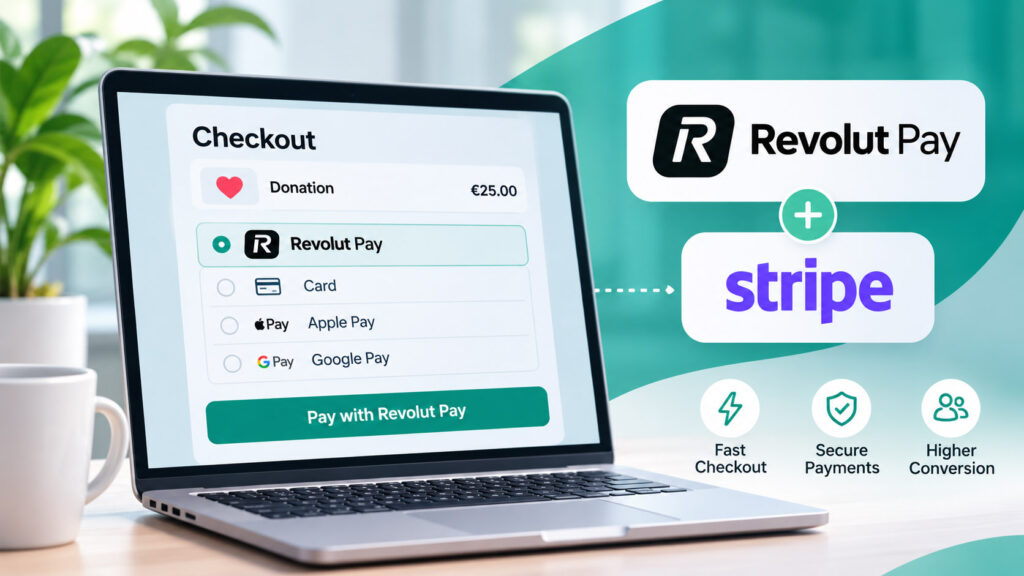
Online customers increasingly expect to pay without repeatedly entering card details. Revolut Pay is one option designed to make checkout more convenient for eligible Revolut customers. But what exactly is Revolut Pay, how does it work, and what changes when a business accepts it through Stripe?
This guide explains Revolut Pay from both the customer and business perspectives. We will explore the checkout experience, its relationship with Stripe, potential benefits, fees, security considerations, and the questions merchants should ask before offering it.
What Is Revolut Pay?
Revolut Pay is an online payment method associated with Revolut, the financial services platform. Instead of manually entering card details at every participating checkout, an eligible Revolut customer can select Revolut Pay and authorize a payment through the Revolut experience.
For shoppers, the main idea is convenience: a familiar account-based payment experience with fewer steps. For businesses, Revolut Pay is another payment option that may be useful when their audience includes Revolut users.
It is important to distinguish Revolut Pay from simply using a Revolut-issued debit card. A customer can enter a Revolut card’s details into an ordinary card form, but that is still a card payment. Revolut Pay is a separate checkout option with its own authorization flow.
Revolut Pay is primarily designed around the Revolut customer experience. The exact options offered to a shopper can vary by market and integration, so merchants should not assume that every visitor will be eligible to use it.
How Does Revolut Pay Work?
At a participating online checkout, the customer selects Revolut Pay rather than typing card details. They are guided through an authorization process associated with Revolut, and the merchant receives the payment outcome through its payment provider or integration.
Step 1: The customer chooses Revolut Pay
The shopper reaches the payment stage and sees Revolut Pay among the eligible payment methods. The option may not appear for every customer or every transaction.
Step 2: The customer authorizes the transaction
Depending on the device and flow, the customer may be directed to Revolut or asked to confirm the payment through an appropriate authentication experience. The exact screens can differ across devices and regions.
Step 3: The payment provider reports the outcome
The payment is processed through the configured integration. The merchant should rely on the payment provider’s confirmed transaction status rather than assuming that a browser redirect proves a payment succeeded.
Step 4: The business completes the order
Once payment is confirmed, the business can issue a receipt, fulfill an order, activate a service, or update its records. For automated systems, server-side events or webhooks are generally more reliable than relying solely on the customer returning to a success page.
How Does Revolut Pay Work With Stripe?
Stripe is payment infrastructure that lets businesses accept and manage multiple payment methods through a common integration. Where Stripe supports Revolut Pay for a particular business and transaction, the method can become part of that business’s Stripe-powered checkout experience.
This does not mean that every Stripe account automatically displays Revolut Pay. Payment-method eligibility can depend on account country, customer location, currency, transaction type, integration mode, and other requirements.
What each service does
- Your website or application presents the product, service, or payment request.
- Stripe provides the supported payment integration and reports payment status.
- Revolut Pay provides the eligible customer’s authorization experience.
- Your business systems handle fulfillment, records, and follow-up after a confirmed payment.
If you are new to Stripe’s hosted payment experience, read our overview of how Stripe Checkout works. It explains how checkout sessions, payment methods, and post-payment workflows fit together.
Is Revolut Pay automatically available in Stripe Checkout?
Not necessarily. Stripe can present eligible payment methods dynamically, but the merchant’s setup and transaction still need to meet the method’s requirements. Check the current payment-method settings in your Stripe Dashboard and Stripe’s official documentation before promising Revolut Pay to customers.
Does Revolut Pay replace Stripe?
No. When Revolut Pay is accepted through Stripe, the two serve different roles. Revolut Pay is the customer’s chosen payment method, while Stripe is the merchant’s payment integration and processing platform.
Why Might Businesses Offer Revolut Pay?
There is no single payment method that suits every audience. Still, offering a relevant additional option can make checkout feel more familiar to customers who already use that service.
Familiar checkout
Existing Revolut customers may prefer authorizing a payment through a service they already recognize.
Less manual entry
An account-based flow can reduce the need to retype payment information during eligible purchases.
More customer choice
Offering relevant payment methods can accommodate different checkout preferences without forcing everyone into one flow.
One payment integration
When supported through Stripe, merchants can manage the method as part of a broader Stripe payment setup.
These are potential usability benefits, not guaranteed conversion improvements. The value of Revolut Pay depends on how many of your customers use Revolut, whether the method is available to them, and how well it fits your checkout.
Revolut Pay vs. Apple Pay and Google Pay
Revolut Pay, Apple Pay, and Google Pay all aim to make payments more convenient, but they are not identical technologies.
Revolut Pay
An account-associated checkout method focused on eligible Revolut customers.
- Uses a Revolut-related authorization experience
- Availability depends on merchant and market eligibility
- Distinct from entering a Revolut debit card
Apple Pay and Google Pay
Digital wallets commonly used to authorize payments with stored payment credentials on compatible devices and browsers.
- Often rely on tokenized card credentials
- Device, browser, and wallet setup can affect availability
- May appear alongside other Stripe payment methods
For many merchants, the practical question is not which method is universally best, but which combination makes sense for their customers. An effective checkout may offer cards and a small selection of eligible wallet or account-based methods rather than treating every alternative as a replacement.
Is Revolut Pay Safe?
Revolut Pay uses an authorization process associated with Revolut rather than requiring shoppers to type card details into every merchant checkout. However, no payment method eliminates all fraud, account security, or merchant-dispute risks.
Customers should confirm that they are paying the intended merchant, review the amount and currency, and follow normal account-security practices. Businesses should use supported integrations, verify successful payment status, protect their websites, and establish clear refund and customer-service processes.
What about Revolut Pay buyer protection?
Revolut publishes a buyer protection policy for certain eligible Revolut Pay purchases. It is not a universal guarantee, insurance policy, or automatic protection for every transaction. Eligibility and exclusions are important: for example, donations are excluded from the policy’s eligible purchases. Other exclusions and claim requirements also apply.
What Are the Fees for Revolut Pay Through Stripe?
Merchants should expect payment processing to have costs, but there is no responsible single percentage that applies to every Revolut Pay transaction worldwide. The applicable charges can depend on the Stripe account’s country, the payment method, pricing agreement, currency, and other processing conditions.
Before enabling Revolut Pay, check the current pricing information for your Stripe account and compare the total cost with the other methods you offer. Also review whether currency conversion, refunds, or other account-specific services can affect your costs.
No. Avoid implying that processing is free simply because a customer can select Revolut Pay. Customer-facing charges and merchant processing fees are different questions, and the applicable terms should be checked separately.
Where Is Revolut Pay Available?
Availability is not universal. Even if Revolut operates in a country, that does not necessarily mean every business there can offer Revolut Pay through Stripe or that every shopper can select it.
- Check whether your Stripe account country is supported.
- Confirm the currency used for the payment.
- Review the customer’s eligibility and location.
- Check whether your transaction type and integration are supported.
- Test the checkout experience before announcing the payment method.
Because payment-method coverage evolves, use the current Stripe Dashboard and documentation rather than relying on an outdated country list in a blog article.
Can You Accept Revolut Pay on a WordPress Website?
Yes, a WordPress website can offer Revolut Pay when its Stripe integration supports the method and the merchant and payment are eligible. The exact setup depends on the WordPress payment solution and its implementation of Stripe.
For example, a website might use a Stripe-powered checkout for a product, an event ticket, a service payment, or another supported one-time transaction. Whether Revolut Pay appears is determined by the actual integration and eligibility conditions, not by WordPress alone.
Looking for the practical WordPress setup?
For a dedicated implementation walkthrough, see our companion guide: How to Accept Revolut Pay in WordPress Using Stripe (Step-by-Step Guide). It focuses on the WordPress workflow rather than repeating this overview of the payment method.
If you are comparing payment architecture more broadly, our article on connecting WordPress payments with HubSpot through Stripe shows why a successful checkout is often only one part of the customer journey.
Is Revolut Pay Suitable for Donations and Nonprofits?
Nonprofits may be interested in offering convenient payment choices to supporters. However, they should verify that their specific Revolut Pay integration and transaction type are permitted and supported before offering the method for donations.
It is also essential not to confuse payment availability with buyer protection: Revolut’s published buyer protection policy explicitly excludes donations. Organizations should communicate payment terms accurately and use a checkout that clearly identifies whether the transaction is a purchase or a donation.
For broader ideas on building a supporter-friendly checkout, see our article about selling products and accepting donations in one WordPress checkout. That article covers checkout design; it does not establish Revolut Pay eligibility for donations.
When Does Adding Revolut Pay Make Sense?
Adding another payment option is most valuable when it solves a real customer need. Businesses should consider their audience and test the actual checkout before changing their payment strategy.
Know your audience
Review whether a meaningful share of your customers already uses Revolut or asks for it.
Check eligibility first
Verify supported countries, currencies, transaction types, and integration settings.
Measure outcomes
Track completed payments and checkout issues rather than assuming another option automatically improves conversion.
Keep checkout understandable
Present clear payment choices and avoid cluttering the page with irrelevant methods.
Frequently Asked Questions About Revolut Pay
What is Revolut Pay in simple terms?
Revolut Pay is a payment option at participating checkouts that lets eligible Revolut customers authorize purchases using their Revolut account experience.
Is Revolut Pay the same as paying with a Revolut card?
No. Entering a Revolut debit card into a normal card form is a card transaction. Revolut Pay is a distinct checkout payment option.
Can Stripe process Revolut Pay?
Stripe can support Revolut Pay for eligible merchants and payment flows. Availability depends on the account, market, currency, and integration configuration.
Does every Stripe Checkout page show Revolut Pay?
No. Stripe displays payment methods based on eligibility and configuration, so Revolut Pay may be unavailable for a particular customer or transaction.
Is Revolut Pay free for businesses?
Do not assume so. Merchants should consult the current Stripe pricing and their own account agreement for applicable processing costs.
Can Revolut Pay be used for subscriptions?
Recurring-payment support depends on the specific integration and current provider capabilities. Verify the intended billing scenario with Stripe before offering Revolut Pay for subscriptions.
Are all Revolut Pay purchases buyer-protected?
No. Revolut’s buyer protection policy applies only to eligible purchases and includes exclusions. Donations, for example, are excluded.
Can I add Revolut Pay to WordPress?
Potentially, yes. Your WordPress Stripe integration must support the method, and your business and transaction must meet the applicable eligibility conditions.
Final Thoughts: Is Revolut Pay Worth Offering?
Revolut Pay can be a useful addition to an online checkout, particularly for businesses serving customers who already use Revolut. Its appeal is a recognizable, account-based authorization experience that can sit alongside other supported payment methods.
However, it is not a universal replacement for cards or digital wallets. The right decision depends on customer demand, availability, transaction support, pricing, and the reliability of your integration. Businesses using Stripe should verify those details before enabling or advertising the method.
Bring Revolut Pay to Your WordPress Checkout
Now that you understand what Revolut Pay is and how it relates to Stripe, explore the practical WordPress implementation guide and learn what to check before making it available to customers.
Read the WordPress Setup GuideExplore more about Stripe Checkout and online payment options.